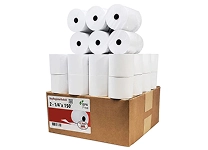
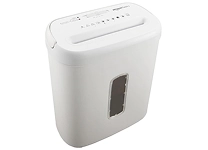
Explore Essential Other Office Equipment
Other office equipment brings together practical tools that support everyday work beyond standard computers, desks, and printers. Depending on the task, this category may include calculators, paper shredders, laminators, binding machines, paper cutters, label makers, postage scales, and presentation accessories. These products help teams organize records, prepare documents, manage mail, and keep shared workspaces operating smoothly. Start by identifying the activity you want to improve: frequent document finishing calls for different equipment than inventory labeling or secure disposal. Consider who will use the item, how often it will be used, and how much room is available for setup and storage. Ubuy offers a way to discover office products from international sellers, making it useful to compare different equipment types and configurations while narrowing down options for your workplace.
- Tools for document handling, organization, and daily tasks
- Options for home offices and shared workspaces
- Choose equipment around your most frequent needs
Compare Document Finishing and Paper Handling Tools
Document finishing equipment helps turn loose pages into organized, presentable, or protected materials. Laminators apply a clear film to suitable documents, while binding machines join pages with compatible comb, wire, or other binding supplies. Paper cutters and trimmers support clean, consistent sizing, and shredders reduce paper into strips or smaller particles for disposal. Compare each machine by its supported paper size, sheet capacity, operating pace, and recommended duty cycle. For shredders, check the cut style, bin capacity, and acceptable materials; for laminators, confirm pouch thickness and warm-up requirements. Binding supplies, replacement blades, lubricant, and laminating pouches can affect ongoing usability, so verify compatibility before purchasing. A compact device may suit occasional personal projects, whereas a higher-capacity model can better support regular shared-office workloads.
- Check capacity, paper size, and duty cycle
- Match consumables to the specific machine
- Consider storage, noise, and frequency of use
Choose Label Makers, Calculators, and Mailroom Equipment
Organization and mailroom tools serve distinct tasks, so compare features according to the workflow rather than appearance alone. Label makers can print identification for files, shelves, cables, packages, or storage bins; models may use handheld keyboards, computer connections, or wireless control. DYMO and Brother are widely recognized names in labeling, but label width, tape type, connectivity, and power source still determine suitability. Calculators range from basic desktop models to scientific and printing versions, with display size, key layout, memory, and power options influencing everyday use. Postage scales help weigh outgoing items, while letter openers and mail sorters can streamline document intake. Ubuy can help shoppers discover international office equipment and compare product descriptions, but it is important to check supported tape, paper, or accessory formats for each model before ordering.
- Match label width and connectivity to the task
- Select calculator functions for the intended work
- Check scale capacity and measurement units
Review Features, Materials, and Equipment Compatibility
Small differences in construction and technology can make office equipment easier to operate and maintain. Look for stable bases, accessible controls, clear displays, and durable housings suited to regular handling. For powered devices, review connection types, included cables, power requirements, and whether computer software or a mobile app is needed. A label printer may depend on particular tape cartridges, while a binding machine requires a matching binding format and spine size. Paper-handling products also have limits: confirm accepted paper dimensions, thickness, and feed direction before use. Accessories such as replacement cutting mats, shredder bags, laminating pouches, calculator rolls, and storage cases may be sold separately. Kensington is known for workplace accessories, while Fellowes is associated with document-handling equipment; brand familiarity should complement, not replace, checking specifications, included components, and compatibility with existing supplies.
- Verify power, connection, and software needs
- Check consumable formats before buying
- Review included accessories and replacement parts
Plan for Maintenance, Safety, and Everyday Use
Routine care helps office tools remain practical and ready for regular tasks. Follow the product manual for cleaning, storage, and replacement intervals, and unplug powered equipment before performing maintenance where instructed. Keep shredders clear of unsuitable materials and avoid exceeding their stated sheet limits; use only recommended care products. Allow laminators to reach the required operating temperature and use compatible pouches to reduce feed problems. Store blades and cutting tools safely, and keep small accessories organized near the equipment they serve. In a shared workspace, consider noise, operating space, ventilation where relevant, and whether controls are easy for multiple users to understand. Ubuy listings can provide a starting point for exploring different equipment styles, but product specifications and care guidance should inform the final choice. Planning for consumables and upkeep also helps avoid interruptions during busy work periods.
- Follow manufacturer care and operating guidance
- Use compatible supplies and respect capacity limits
- Consider noise, safety, and shared-workspace needs
Select the Right other office equipment
Choose equipment by matching its capabilities to a clearly defined office task. List the materials you handle, expected workload, available space, and any existing devices or supplies that the new product must work with. Compare capacity, output quality, operating method, dimensions, power source, and the cost and format of recurring consumables. For occasional use, straightforward controls and compact storage may matter most; for frequent team use, durability, throughput, and accessible replacement supplies can be more important. Read product specifications carefully and distinguish included accessories from optional items. If two models appear similar, compare their supported formats, maintenance needs, and connection options rather than relying on feature counts alone. Ubuy provides a place to explore international office equipment across many task types; reviewing the details helps you select a product that fits your workflow and supports confident purchasing.
- Define the task and expected workload first
- Compare specifications and ongoing supply needs
- Confirm fit with your workspace and existing tools